Here’s a short guide I made for my semi-techy friends, in order to validate that a new app isn’t extra malicious, (by that I make an assumption that most apps, consume your private data to some degree, at the very least they gather some metadata to provide a better service)
Here’s a short guide you can use to validate that a new app isn’t ‘extra’ malicious
(by that I make an assumption that most apps, especially the free ones, consume your private data to some degree, to provide you with a ‘better service’ and advertisers with your shoe size)
1.
Unless you are an advanced user, never install an app from outside the official app stores (Google Play, Apple App Store).
2.
If you are looking for a specific app, don’t search for it on the app store (there are many fake apps with very similar names and icons, especially in the Google play store), instead; do a Google search, open the app official website and usually they will have a link to the correct app in the app store.
3.
Validate that the app has an ample number of users (more than 10) and that the comment section is relatively calm.
4.
Read the app privacy / Eula (usually at the bottom of the app description page) and look for gotcha’s…
OK – don’t, no one can read these things :-)
However you can use a service that reads them and highlights the bad stuff, like these services:
https://www.brightfort.com/eulalyzer.html
https://www.spywareguide.com/analyze/analyzer.php

If you want to dig some more (on your Android phone / PC), and have some IT knowledge, you can also do the following:
1.
Run a search on the application directory and search through the text / XML files for words that shouldn’t appear in them (as they should be encrypted), like “User:” , “Password”…)
You will be surprised how many apps, simply use an unencrypted XML file to store credentials…
2.
Use a sniffer (Wireshark on Windows, Packet capture on Android) and search for your app passwords in the clear (don’t install / use a MITM certificate, just look for clear text credentials)
This is how I found out, that the “Switcher” app is sending my username and password in clear text to its mother ship.
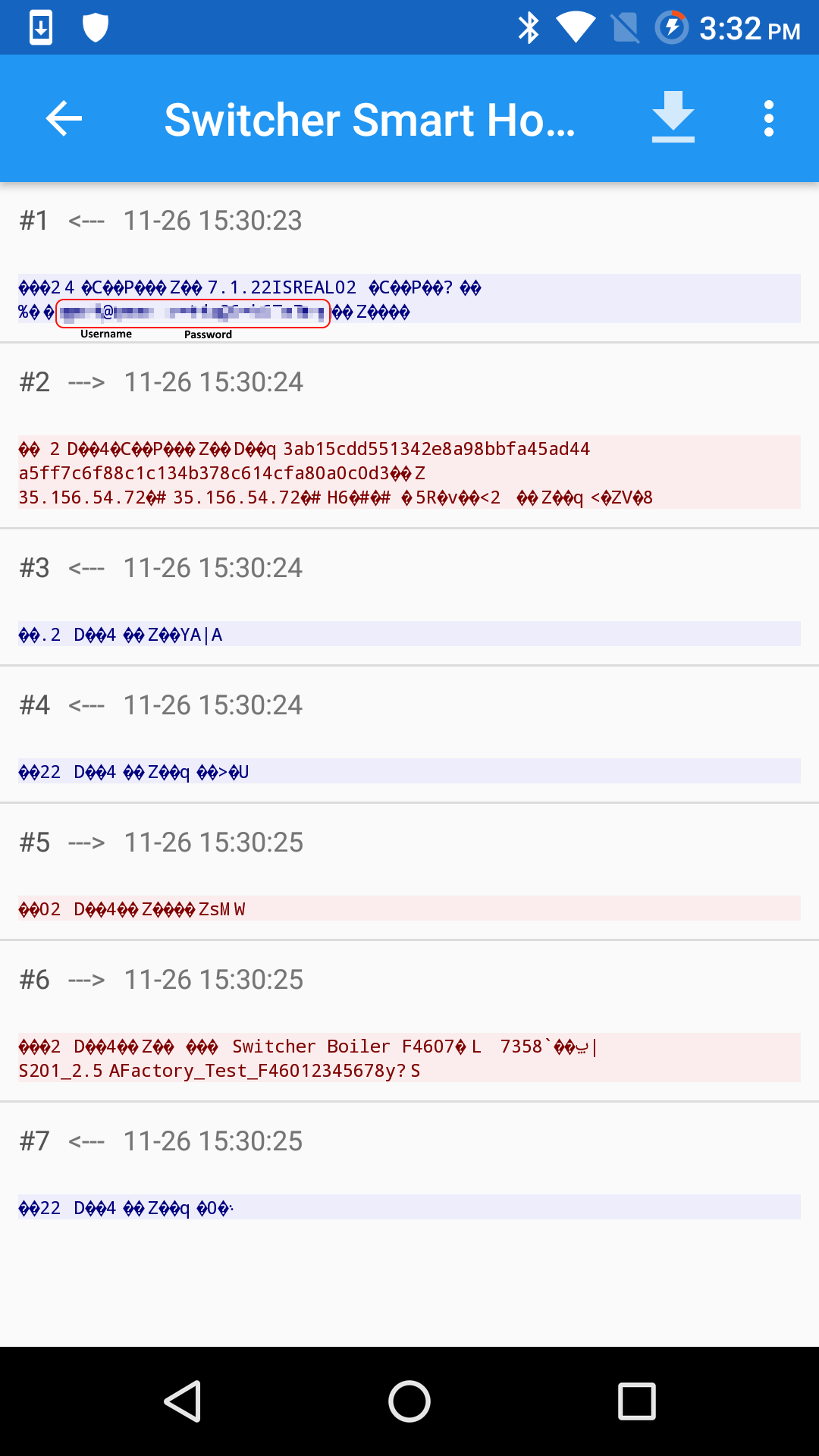
Screen capture of the Packet capture app, showing my user name and password sent in clear text.
Discover more from Cyber-Path Consulting
Subscribe to get the latest posts sent to your email.

